
Step-by-Step Guide to Check and Download Your Credit Report
📌 Quick Answer (Featured Snippet)
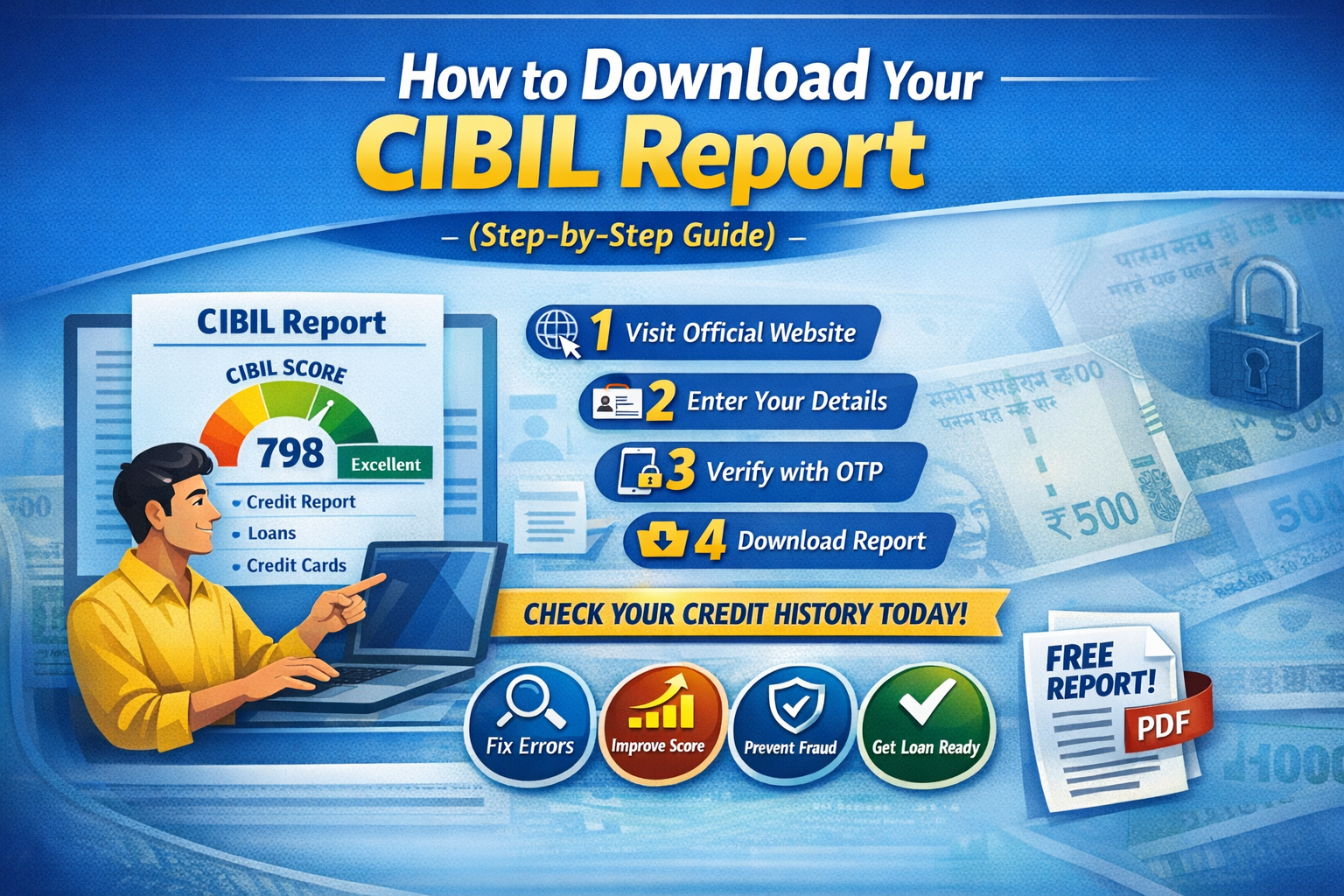
You can download your CIBIL report online for free by visiting the official website, filling in your details, verifying via OTP, and accessing your report instantly.
👉 Steps:
- Visit official website
- Enter personal details
- Verify with OTP
- Access/download report
📖 Introduction – Applying for a Loan Without Checking Your CIBIL?
Many people in India make this mistake:
👉 “Applied for a loan without checking credit score”
👉 “Loan got rejected, but don’t know why”
The truth is:
👉 Your CIBIL report decides whether your loan gets approved or rejected.
If you don’t check your credit report regularly, you might face unexpected rejections or financial issues.
🧾 What is a CIBIL Report? (Simple Explanation)
A CIBIL report is a detailed record of your credit history.
👉 It includes:
- CIBIL Score (300–900)
- Loan details
- Credit card usage
- Payment history
- Credit enquiries
👉 It acts like your financial report card for lenders.
🔍 Why Should You Download Your CIBIL Report?
✔ Before Applying for a Loan
- Understand your eligibility
✔ To Detect Errors
- Identify incorrect entries
✔ To Improve Your Score
- Find weak areas
✔ To Prevent Fraud
- Track unknown loans
🛠️ How to Download Your CIBIL Report (Step-by-Step)
✅ Step 1: Visit Official Website
- Go to CIBIL or authorized platforms
✅ Step 2: Click on “Get Your Free CIBIL Score”
✅ Step 3: Enter Your Details
- Name
- PAN number
- Mobile number
- Email ID
✅ Step 4: Verify with OTP
- Enter OTP received on your mobile
✅ Step 5: Create Your Account
- Set username and password
✅ Step 6: Access and Download Your Report
👉 View or download instantly
⚠️ Common Issues While Downloading Report
- ❌ Entering incorrect details
- ❌ Mobile number mismatch
- ❌ Wrong PAN information
- ❌ OTP verification failure
- ❌ Using fake websites
🚫 Common Mistakes to Avoid
- ❌ Checking only score, ignoring full report
- ❌ Never checking your report
- ❌ Ignoring errors
- ❌ Overlooking fraudulent entries
- ❌ Ignoring multiple enquiries
💡 Expert Tips (Pro Insights)
✔ Check your report every 2–3 months
✔ Verify report before applying for loans
✔ Fix errors immediately
✔ Maintain a 750+ credit score
✔ Follow strong financial discipline
📊 Real-Life Example
Amit applied for a loan without checking his report.
Problem:
- Wrong loan entry in report
- Score dropped
Result:
- Loan rejected
Action Taken:
✔ Downloaded report
✔ Identified error
✔ Got it corrected
👉 Within 2 months, his score improved
👉 Loan got approved
🏁 Conclusion
👉 Downloading your CIBIL report is simple,
but its impact is powerful.
👉 Key Takeaways:
- Report = Financial health mirror
- Regular checks = Better control
- Strong score = Easy loan approval
By regularly checking your report, you can stay financially prepared and avoid surprises.
❓ FAQs (Frequently Asked Questions)
Q1. Can I download my CIBIL report for free?
👉 Yes, you can get it free once a year.
Q2. How long does it take to download the report?
👉 Around 5–10 minutes.
Q3. Can I download it on mobile?
👉 Yes, easily via mobile.
Q4. Does checking my report affect my score?
👉 No, self-check does not impact your score.
Q5. What should I do if there is an error in my report?
👉 Get it corrected immediately.
🚀 Call-To-Action
If your CIBIL score is low, your report has incorrect entries, or your loan applications are getting rejected, there’s no need to worry. CrediBoost Solutions Pvt. Ltd. can professionally analyze and help improve your credit profile.
👉 Get your FREE consultation today and improve your CIBIL score!
📞 Call/WhatsApp: 8099690448 / 7086962101
🌐 Website: crediboost.com
Contact Number – 8099690448 / 7086962101
Address – C/O Sri Nagendra Borma, Hatilong, Near Maruti Suzuki Arena, North Lakhimpur, Assam -787031
Email – support@crediboost.in
CIN NUMBER – U66190AS2025PTC027785
👉 Contact now and take control of your credit profile!